A few thoughts on blog themes I’ve used, or at least installed. I’ve also included two at the end that caught my eye while reading the documentation.
# What I like
I have a weakness for all the bells and whistles: falling cherry blossoms, a little Live2D character in the corner, effects when you click the mouse, a big beautiful cover image…
I’ve browsed and installed plenty of clean, elegant themes. They look good at first. Two days later I usually find myself changing themes again.
Maybe they just feel a little too blank for me.
# WordPress
WordPress has enough themes and plugins that whenever I felt like tinkering, there was always something else to install. I did run into a sluggish dashboard and slow-loading pages, though.
These are impressions from my own setup at the time. A slow site isn’t necessarily the theme’s fault. I quite liked Argon, for instance.
# Sakura
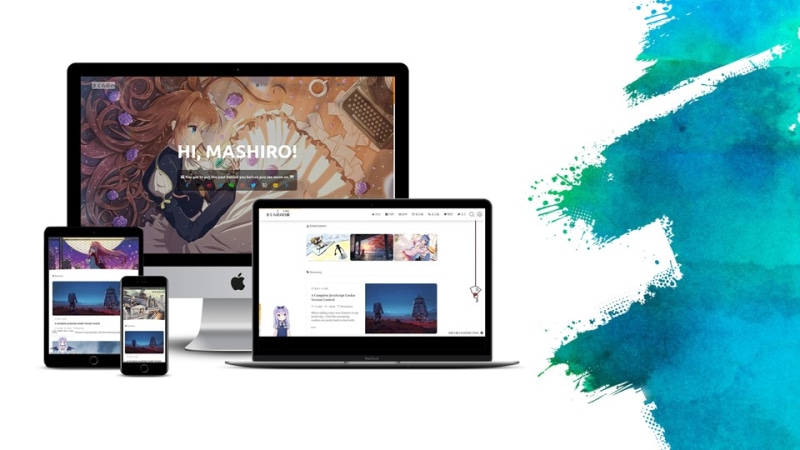
Sakura, maintained by mashirozx, is right up my street, down to the little details.
I followed quite a few tutorials to get different effects working. My Live2D character never made it past the default model; designing and rigging one myself turned out to be a tall order.
The site I built with it really did load slowly. Eventually I couldn’t put up with it and switched away. For a while I kept it around purely because it was pretty.
I also wanted an About page built around a BotUI chatbot. I remember spending ages on that, trying one suggestion after another from Google. The JavaScript seemed to do absolutely nothing. Maybe it never loaded in the first place…
For all the tinkering, I still like how Sakura looks. To find the settings now I’d start with the repository guide. The theme has its own settings screen, so plenty of changes are possible without touching the source files. For further styling, the author recommends a child theme.
# Sakurairo

The screenshot is from networkos.club, a site in the official showcase. It’s someone else’s setup, rather than my old site or the default appearance.
Sakurairo is a reworking of Sakura V3. Its manual groups settings by scope, including global options, the home page and individual pages. Having so much in the dashboard would have saved me some of the hunting through tutorials I did with Sakura.
What you can change depends on the version and configuration. Unfortunately I still had the same slow loading when I used it.
# Ashe

The Ashe theme page describes support for personal and multi-author blogs, a large header image, a full-screen slider and a mobile layout. Compared with the first two themes, the photos and posts take centre stage.
If what you want is one lovely big image and a clear list of posts underneath, this one is worth a look.
# Argon
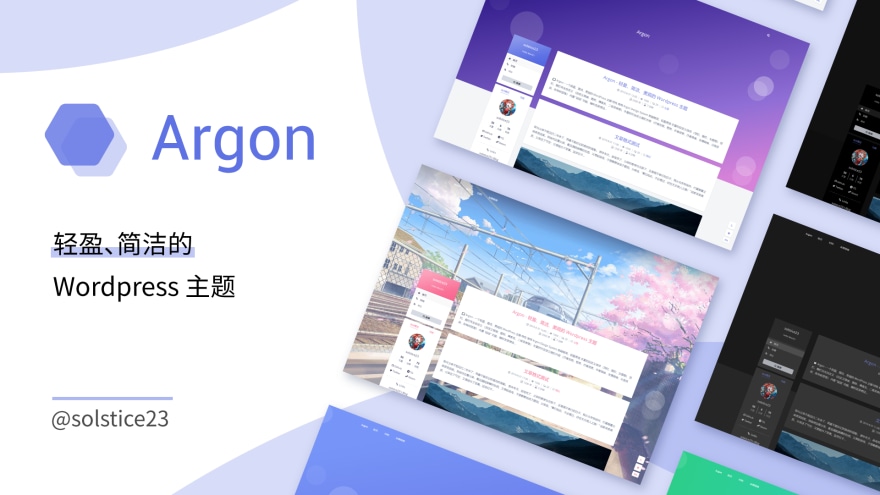
Argon is one I came away liking. You can change the theme colour, choose a one-, two- or three-column layout, and switch to night mode.
The theme documentation is a good place to see what you’d like to configure.
# Hexo
# ShokaX

ShokaX is derived from Shoka. It’s the theme this blog uses.
I’ve changed the styling, so the current site only tells you so much about the default look. I’ve written up the details in my customisation notes and upgrade notes.
# Two more that caught my eye
These two are based on the official material. I haven’t used them in the same way as the ones above.
# Typecho: Joe

Joe has a two-column layout, configurable colours and syntax highlighting. It looks worth considering for a technical blog on Typecho if you like a little more going on around the posts.
# Hexo: Butterfly

Butterfly has a distinct card layout and two columns, with night mode, background effects and mouse-click effects. You can probably see why it appealed to me.
The official demo and docs are a good way to pick out the effects you want.