In the previous post, DungeonTavern: A Tavern Management Sim, I introduced the management side of DungeonTavern.
This post looks at how I designed the customer NPCs’ states and behavior. I used a finite-state machine: queuing, ordering and waiting for food are distinct states. A customer moves between them when a condition is met, such as reaching the front of the queue or receiving a dish.
# Customer state transitions
On the first day the story brings Bran to the tavern, along with six scheduled arrivals of ordinary customers.
(This is temporary. I’m considering letting the tavern’s reputation and other factors affect how many customers come each day.)
For the demo, the first three arrivals are a party, a sociable customer on their own and a solitary customer on their own. The remaining types are picked at random.
I count arrivals here because the same arrival can bring either one customer or a group through the door.
A customer’s current state is stored in CustomerServicePoint.State . They start out Inactive , switch to Entering when they spawn and join the queue at the menu board.
Reaching their place in line doesn’t mean they can start ordering. The queue also checks whether this customer is at the front. Only then can ordering begin.
When one member of a party reaches the front, the queue uses that customer’s PartyId to find the rest of the group and assigns each member a place in front of the menu board.
They spread out from the line and move to their assigned places. Only once everyone is in position do they enter Ordering together.
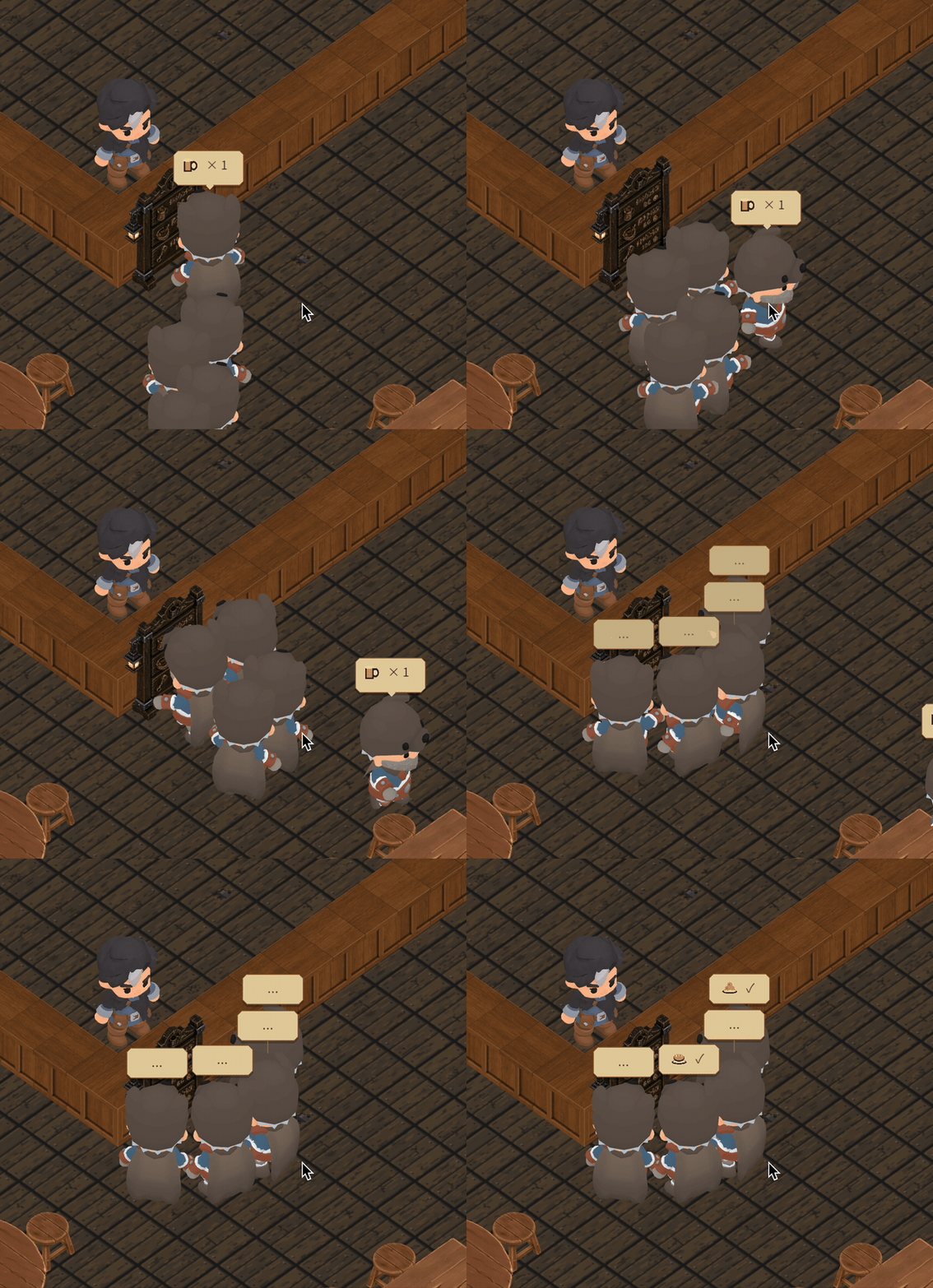
When ordinary customers finish choosing their dishes, their orders are recorded automatically. Their choices appear in speech bubbles and they leave the queue for FindingSeat .
Take Bran, the blacksmith who visits on the first day. He has a preset drink order. He pauses at the board, registers his order and enters ShowingOrder to display the drink briefly before heading for his seat.
Although the state is called “finding a seat,” the demo currently reserves each place before the customer comes in.
At this step they normally pick up their existing assignment and switch to MovingToSeat to approach it.
I included this state to leave room for later changes, for example to handle a shortage of places.
Once at the table, the customer turns to face it and sits down before waiting for food.
From there, they can go back and forth between eating and waiting. They call the owner over to settle the bill only after they’ve finished the whole order.
Leaving is also a two-step process: they enter Leaving on the way out and Finished once they reach the door.

Each frame, Update() starts with arrived set to false . If the customer is entering, queuing, approaching their seat or leaving, the game checks whether they have reached their destination. It then calls Tick(Time.deltaTime, arrived) . Inside Tick() , the condition to check depends on the state. While a customer is waiting for food, for example, the game looks for a portion that has been delivered but hasn’t been finished:
case CustomerOrderState.WaitingForFood: | |
if (Order.HasFood) ChangeState(CustomerOrderState.Eating); | |
else if (Order.AllConsumed) ChangeState(CustomerOrderState.AwaitingSettlement); | |
break; |
ChangeState() updates the state and speech bubble and notifies subscribers. For states that need a pause, such as displaying an order, it sets a timer here as well. Serving and settling the bill, on the other hand, are handled by Interact() . The item leaves the owner’s hands and the customer starts eating only if the order still needs what the owner brought.
# Customer seat allocation
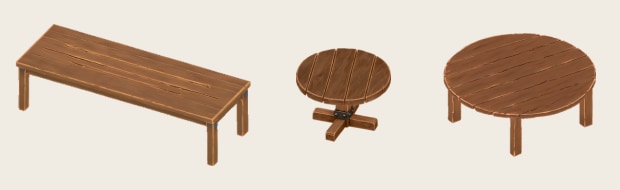
The hall has long tables, small round tables and large round tables. The seat assignments and table-sharing rules below follow my revised design. The demo code still uses the earlier implementation. Before a customer or party comes in, SeatRegistry reserves the places they need. An empty-looking stool can already belong to someone who’s still at the menu board.
# Customers arriving alone
Solo customers come in two types: solitary and sociable. Both first look for a completely empty long table, then an empty small round table. If neither is available, they consider sharing a long table. What differs is how they choose a stool:
- Solitary customers prefer a place with no one immediately beside them on the same side or directly opposite. If they can’t find one, any other free stool at the long table will do.
- Sociable customers have no preference about their neighbors. Any free stool at the long table is equally suitable, so a sociable customer can end up beside a solitary one.
Only after ruling out a place at a shared long table will they consider an empty large round table. If no suitable seat is left, the customer waits at a standing place in the hall.
The code ranks each available place. A smaller number means a higher priority. It replaces the current choice only when it finds a better rank, so two stools with the same rank are settled by which one is checked first.
int rank = Rank(candidate, customer.SeatingKind); | |
if (rank < best) { best = rank; seat = candidate; } |
# Customers arriving together
Parties consist of two to four customers and give priority to an empty large round table. Three free stools at different tables won’t do for a party of three. The three places have to be at the same table for it to be considered.
TryReserveParty() finds an empty large round table and checks that it has enough active places before assigning a stool to each customer. If a reservation fails partway through, the places already reserved for this party are released together. The reservation is complete only when everyone has a seat. When a party of two takes a four-person table, the two remaining seats are available only to new customers arriving alone. The seats the party occupied become available again once the last member gets up and releases their seat.

# Group ordering
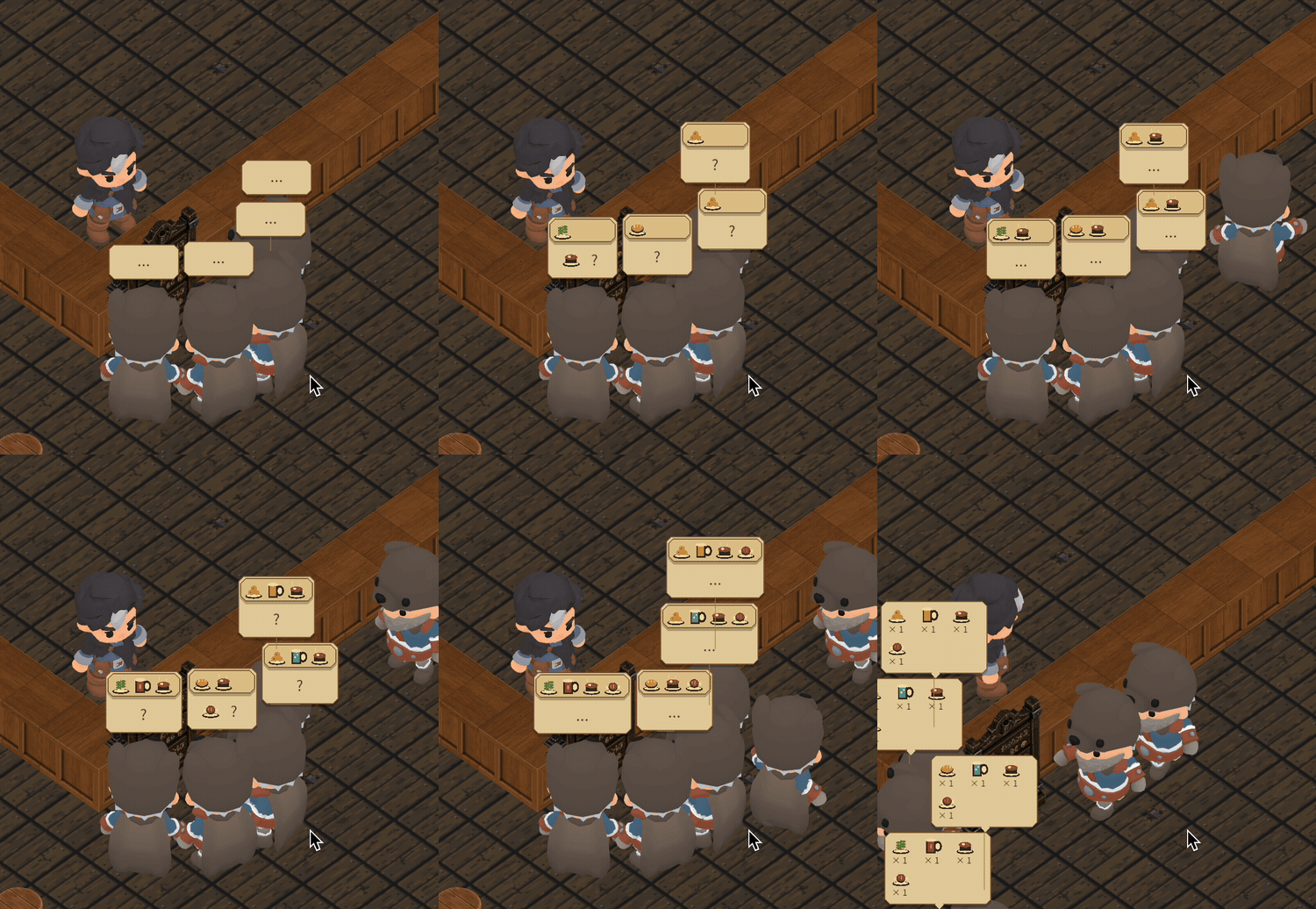
Customers who arrive together share a PartyId . When one reaches the front of the queue, the system uses this ID to find the other members and arrange them in a shallow arc at the menu board. The people behind them wait until the party has finished choosing individual and shared dishes and everyone can leave the board together.
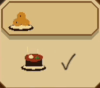
Each customer chooses one or two portions from the individual dishes on the menu, then a drink. They decide at their own pace, so the bubbles above their heads change at different times. A dish under consideration appears in the lower part of the bubble. When it’s confirmed, its icon moves to the top, leaving room below for the next choice.
A party can also order a pot of mushroom stew or a roast cave boar platter to share. When one customer suggests the platter, its icon appears with a question mark. Anyone in the middle of confirming an individual dish finishes that first, then each of the other diners casts a vote. A single cross keeps the platter off the order. If all the others agree, it appears among the confirmed dishes above everyone’s head.
By the end of a round of voting, votes contains an answer from every diner except the one who proposed the dish. One line decides whether the dish stays on the order:
if (votes.Values.All(yes => yes)) shared.Add(item); |
The platter appears in every customer’s bubble, but the kitchen only has to send one. The game creates a separate order for the group’s shared dishes, and each customer’s order refers to the same portion. The shared portion is counted once for delivery. Handing it to one customer marks it as delivered for the others, too. Only the first member of the group advances its eating timer and includes its price in their bill. Four customers sharing a platter shouldn’t be charged for four.
# Serving, settling bills and closing time
In the current demo, a full cup stands in for every dish an ordinary customer orders. When you bring a cup to the table, the game checks the customer’s outstanding individual and shared portions in order. Suppose a customer still needs their drink and a shared platter. The first cup you give them counts as their drink. You can then deliver the platter by handing another cup to any member whose individual portions have all been served.
A customer who ordered two portions can start eating as soon as the first arrives. If they finish before the second portion is served, they switch from Eating back to WaitingForFood . If you’ve already delivered the second portion, they keep eating. The payment prompt appears once they’ve received and finished everything on their own order, including any shared dishes.
Customers pay separately at their seats. Ordinary customers get up to leave once they’ve paid. With Bran, the same interaction first triggers a conversation at the table. Payment goes through when the story hands control back.
You can also pull the lever while customers are still eating to close the tavern temporarily. New arrivals are paused, and customers inside leave with any unpaid orders canceled. Those orders earn no money. Customers who haven’t arrived yet stay on the day’s schedule and can come in once you reopen.
Eve reminds you to close for the night only once all the day’s customers have left and Bran’s story is complete.
That covers the customer’s full sequence of states.
The next few posts will cover other parts of the DungeonTavern demo, starting with NPC pathfinding.